
Quick phrases
Start with quick phrases and organize frequently used items according to your actual work needs.

Every product detail and button is designed with the user experience in mind.

Don't have the app you need? Contact us to help you adapt it.

Supports multiple users simultaneously with cloud data sync
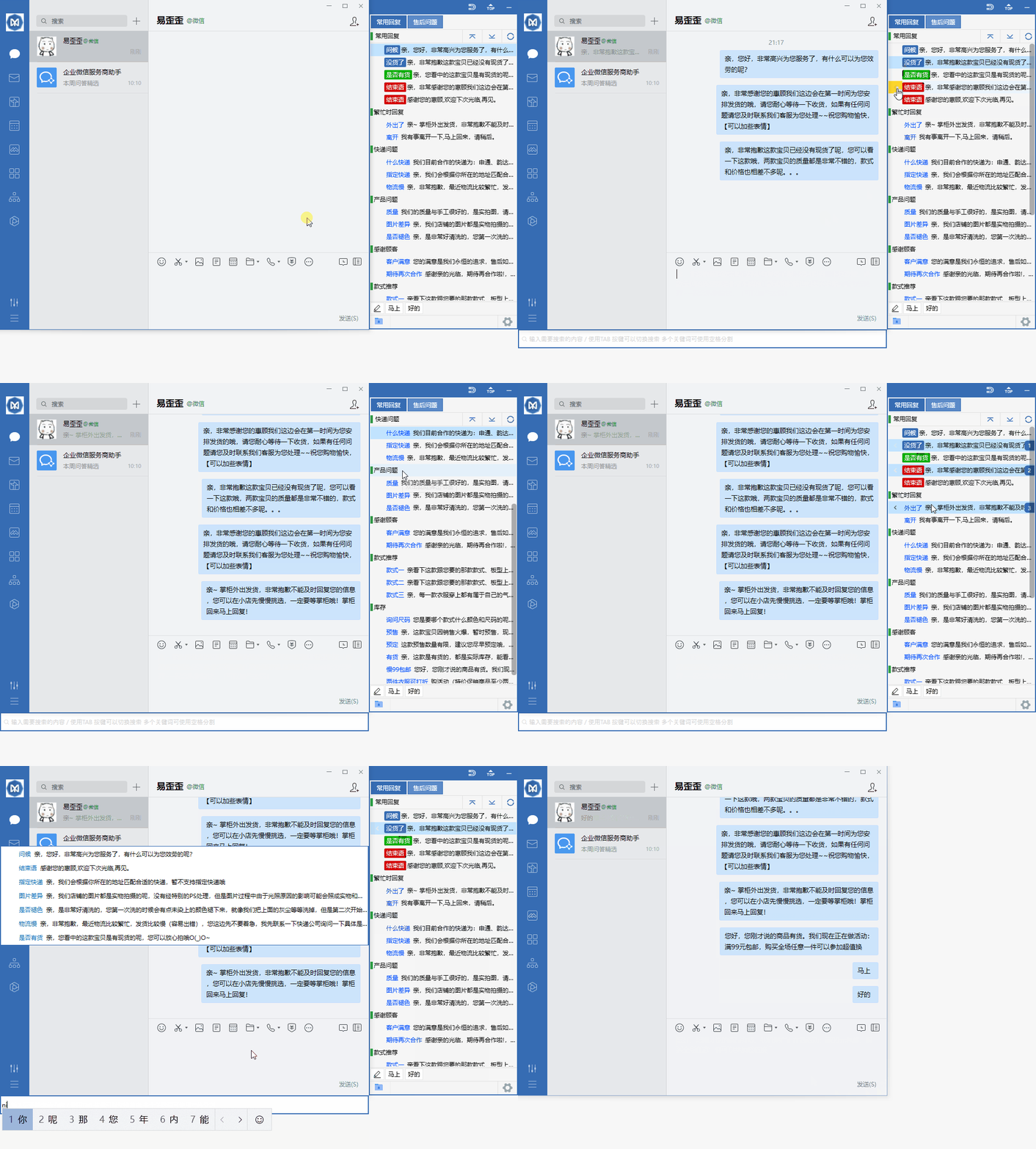
Organize daily customer service communication with reply categories, quick input, and team sync.
Start with quick phrases and organize frequently used items according to your actual work needs.
Combine data grouping with team sync to keep daily operations clearly organized.
Use desktop communication in a familiar interface and adjust your settings as needed.
View options related to quick phrases, and confirm device and version information before use.
Select your device system in the download center and view the corresponding version name.
Open the installation file and follow the on-screen setup prompts on your device.
Yiwaiwai focuses on efficient connection and clear interaction on Windows desktops, making daily communication, file sending and receiving, and multi-person collaboration smoother. No complex configuration is needed; after installation, you can quickly get into work or study mode.
Optimized startup process and background resource usage keep ordinary office computers running smoothly.
Maintain stable synchronization between your computer and frequently used devices, reducing missed messages and repeated operations to improve efficiency.
Support quick switching between multiple conversations, making it convenient to communicate while organizing materials or handling files.
First confirm that your computer's system version meets the runtime requirements, and temporarily exit security software before reinstalling. If the problem persists, restart your computer and try launching again; it usually returns to normal.
Go to the notification options in Settings, enable desktop reminders and sound alerts, and allow Yiwaiwai to run in the background. This way, even when the window is minimized, you can see new messages in time.